Launch
Introducing Rewards Optimization
Turn on Rewards Optimization and Allowance will choose the best eligible card for every purchase you approve.
The best card for a purchase is often already in your wallet. The hard part is remembering which one to use when checkout arrives, and that tradeoff gets harder to manage as agents begin shopping on our behalf. An agent can find a product and bring you a purchase to approve in seconds. It should be able to handle the card decision, too.
That’s why today we’re introducing Rewards Optimization.
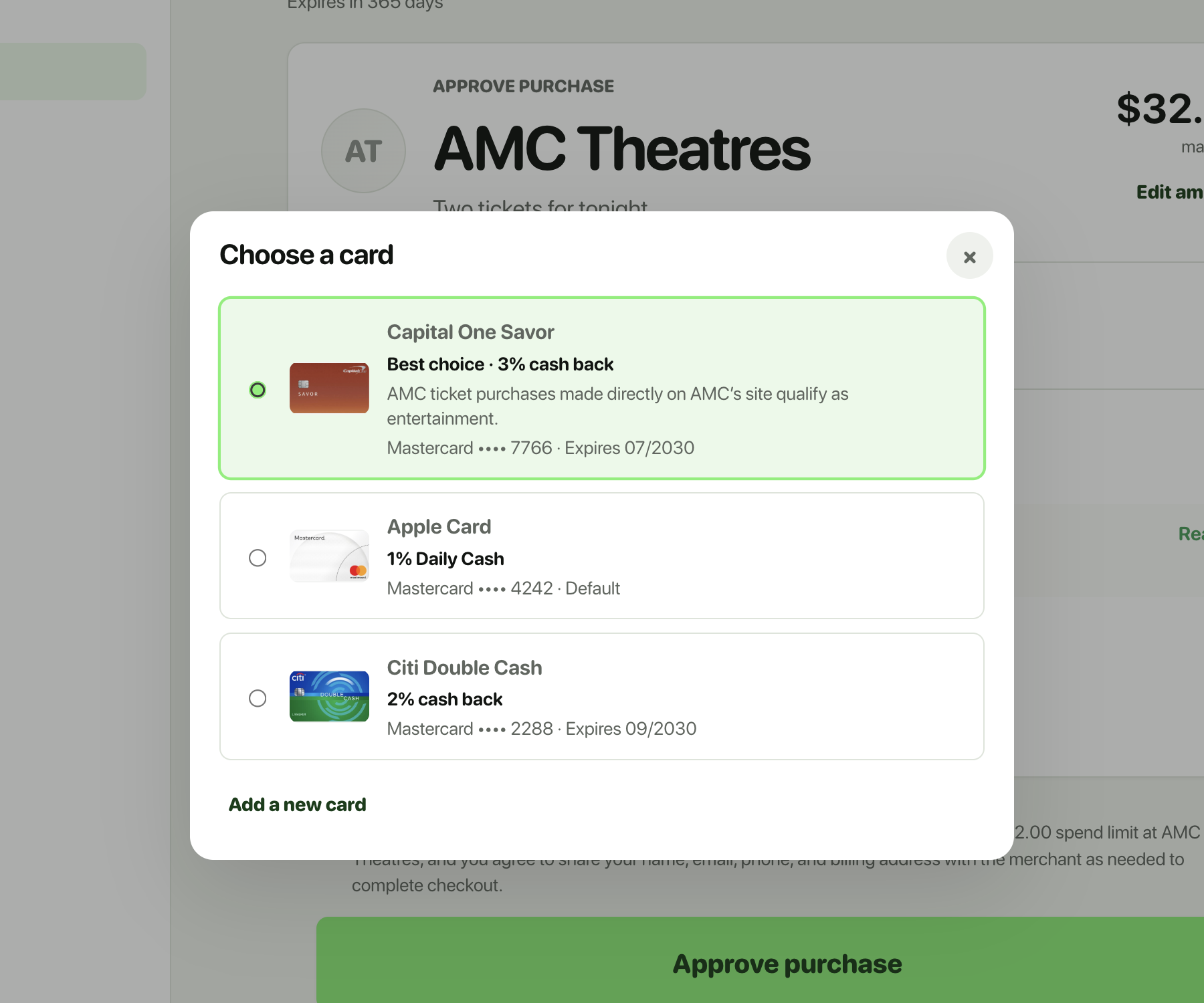
When you turn it on, Allowance handles that decision at the approval step. It looks at the merchant you are shopping with and the credit cards in your wallet, then selects the best eligible card to help you earn the most rewards. The decision is specific to your cards and that purchase, not a generic recommendation.
Turn on Rewards Optimization
Rewards Optimization is available now on Allowance for the web. Open Allowance, go to Settings → Payment Cards, and enable Rewards Optimization. It will also be available on iPhone in the next app update (v1.09+).
From there, it works quietly in the background. When there is a clearly better card, Allowance selects it before you approve. You always see the selection and can override it or choose a different card. When there is no clear recommendation, Allowance keeps the usual card picker.